tool
Site Template
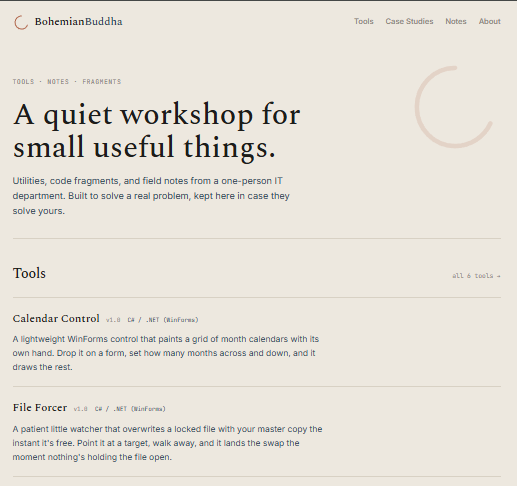
Every page on bohemianbuddha.com — this one included — is the same file with different words poured into it. Strip the words out and this is what's left: one HTML shell, four placeholders, nothing else.
Why it exists
A personal site with a handful of content types (tools, notes, case studies, an about page) doesn't need a templating engine — it needs one page shell reused everywhere, so adding a new page means writing content, not rebuilding a header and footer for the tenth time. This is that shell, kept as its own file so the chrome only has to be right once.
What it does
- One shared header and footer — brand mark, nav, and footer strip are identical on every page, defined here and nowhere else
- Four placeholders —
{{TITLE}},{{DESCRIPTION}},{{CONTENT}}, and{{ROOT}}are the entire contract between this file and the small Python script that fills it in {{ROOT}}makes nesting cheap — the same template serves top-level pages and pages nested undertools/,blog/, andcase-studies/, because every link and asset path is written relative to a placeholder instead of hardcoded- No build step beyond a string replace — no template engine, no compiler, just four
.replace()calls
Under the hood
A small Python script — the same one that builds this whole site — turns a Markdown file plus this template into a finished page:
def render(tpl, title, desc, content, root):
    extra_js = EMAIL_JS if 'class="email"' in content else ""
    return (tpl.replace("{{TITLE}}", html.escape(title))
               .replace("{{DESCRIPTION}}", html.escape(desc))
               .replace("{{ROOT}}", root)
               .replace("{{CONTENT}}", content + COPY_JS + extra_js))
Every page type — a tool, a note, a case study, the about page, even the homepage — builds its own inner HTML and hands it to this one function. The template itself never branches or changes; it just receives a different content string each time. The screenshot above is what you get when that string is empty.
{{CONTENT}} is substituted last, on purpose: if it went first, a page whose own text happened to contain something like {{ROOT}} — this page, for instance — would get that text silently rewritten by the placeholder substitution meant for the template around it.
Get it
The template alone doesn't do anything — the zip below is the smallest set of files that actually builds a site with it: this template, the small Python script that fills it in, the stylesheet it expects, and a .bat to run it on Windows. Unzip it and run build.py with no content folders in place, and you get exactly the empty shell in the screenshot above.